A Mac app by nicoleslittlebrother
Will your apps keep working after macOS 27?
Every app and add-on on your Mac, explained in plain words, with what to do.
With Apple for review since 1 Nov
Free to check · €4.99 once to see it through macOS 26 or later
Apple’s words
Quoted, not paraphrased
What Apple says about Rosetta
“Rosetta is available for any Mac with Apple silicon using macOS 27 or earlier. Starting with macOS 28, the next major macOS release, Rosetta functionality will be available only for certain older, unmaintained games that rely on Intel-based frameworks.”
- Apple SupportUsing Intel-based apps on a Mac with Apple silicon
- Apple DeveloperAbout the Rosetta translation environment
Vernacular reads every app and add-on on your Mac and shows you which ones this affects.
How it reads
The first sixteen bytes · never the rest
It reads sixteen bytes. Then it speaks plainly.
Every program on your Mac begins by saying which processor it was made for. Vernacular reads those first bytes and nothing after them, then says what they mean, part by part. Here are four files from one app.
-
01 · The app itself
Fieldnote.app/Contents/MacOS/Fieldnoteca fe ba beMore than one processor inside00 00 00 02Two of them01 00 00 07One: Intel (x86_64)00 00 00 0300 00 40 0000 a1 2c 5000 00 00 0e01 00 00 0cTwo: Apple silicon (arm64)Runs natively
The app itself runs natively. It’s made for Apple silicon and for Intel.
-
02 · Login helper
Fieldnote.app/…/LoginItems/Fieldnote Helper.app/Contents/MacOS/Fieldnote Helpercf fa ed feA program, 64-bit07 00 00 01Made for: Intel (x86_64)03 00 00 00Any Intel processor02 00 00 00A program that runsIntel only
Its login helper is made only for Intel processors. After macOS 27, it won’t run.
-
03 · Share extension
Fieldnote.app/Contents/PlugIns/Share.appex/Contents/MacOS/Sharecf fa ed feA program, 64-bit07 00 00 01Made for: Intel (x86_64)03 00 00 00Any Intel processor02 00 00 00A program that runsIntel only
Its Share extension is Intel only too. After macOS 27 the app opens; those two parts won’t.
-
04 · A tool inside the app
Fieldnote.app/Contents/Resources/bin/darwin-x64/synccf fa ed feA program, 64-bit07 00 00 01Made for: Intel (x86_64)03 00 00 00Any Intel processor02 00 00 00A program that runsBeside it
darwin-arm64/syncarm64Not used on this Mac
Intel too, but an Apple silicon copy sits beside it, and only that one runs here. It doesn’t count.
Native means native
One real Mac · 1 November 2026
Most Intel files on a Mac don’t matter. Vernacular knows which.
Intel-only files inside 4 apps that run natively
that change anything
Intel copies kept beside Apple silicon ones, and tools an app carries for other machines. A simpler check calls those four apps Intel. Vernacular counts only the parts that run here, so a native app is called native.
- apps read
- 100
- files walked
- 498,534
- programs opened
- 3,744
- start to answer
- 10.3 s
Read on a developer’s MacBook Pro M5 with macOS 27, on the Mac itself. No app names here: what’s on someone’s Mac is theirs.
Each one, in plain words
5 need you in the demo
What happens to each, and what to do.
OPENS AFTER macOS 27 · TWO PARTS WON’T
Fieldnote
Runs natively, but its login helper and Share extension are Intel only. After macOS 27 the app opens; those two parts won’t.
What to do
- Update it from the App Store when a new version arrives.
- Read again here. A new version shows as running natively.
Contents/Library/LoginItems/Fieldnote Helper.app/Contents/MacOS/Fieldnote Helper · x86_64
A GAME · INTEL ONLY
Lantern Keeper
Apple will keep part of Rosetta for certain older games. It hasn’t said which, so Lantern Keeper may or may not keep working.
What to do
- Choose Check for Updates in Lantern Keeper, or look on the developer’s site.
- Read again here. A new version shows as running natively.
- If there isn’t one, it keeps working while this Mac stays on macOS 27.
Contents/MacOS/Lantern Keeper · x86_64
WON’T OPEN AFTER macOS 27
Wayfarer
Wayfarer is made only for Macs with Intel processors. It runs today through Rosetta. In macOS 28 it won’t open.
What to do
- Choose Check for Updates in Wayfarer, or look on the developer’s site.
- Read again here. A new version shows as running natively.
- If there isn’t one, it keeps working while this Mac stays on macOS 27.
Contents/MacOS/Wayfarer · x86_64
WON’T PRINT AFTER macOS 27
Ridgeway Label Printer
This printer driver is made only for Intel processors. It runs today through Rosetta. The printer won’t print from this Mac.
What to do
- Look on the maker’s site for a driver made for Macs with Apple silicon, and install it.
- Read again here. A new version shows as running natively.
- If there isn’t one, it keeps working while this Mac stays on macOS 27.
/Library/Printers/RidgewayLabel/Filter/rastertoridgeway · x86_64
WON’T RUN AFTER macOS 27
Driftwood Delay
This audio plug-in is made only for Intel processors. It runs today through Rosetta. Music apps won’t load it.
What to do
- Look on the maker’s site for a version made for Macs with Apple silicon, and install it.
- Read again here. A new version shows as running natively.
- If there isn’t one, it keeps working while this Mac stays on macOS 27.
/Library/Audio/Plug-Ins/Components/Driftwood Delay.component/Contents/MacOS/Driftwood Delay · x86_64
The ones people forget
16 add-ons in the demo
Drivers and plug‑ins stop too.
They live outside your Applications folder, and nothing on the Dock reminds you they’re there. Vernacular reads your Mac’s Library, folder by folder.
-
01
Printer drivers
/Library/PrintersRidgeway Label Printer Stops: the printer driver is Intel only.
-
01
Scanner drivers
/Library/Image Capture/DevicesAll carry on
-
03
Audio plug-ins
/Library/Audio/Plug-Ins/Components · VST · VST3Driftwood Delay Stops: the audio plug-in is Intel only.
-
01
Audio drivers
/Library/Audio/Plug-Ins/HALAll carry on
-
03
Helpers
/Library/PrivilegedHelperToolsAll carry on
-
04
Background services
/Library/LaunchAgentsAll carry on
-
03
Background services
/Library/LaunchDaemonsAll carry on
Pay once to see it through
Settle each one your way.
Updated, replaced, keeping this Mac on macOS 27, or you don’t need it. The checklist keeps track across reads, and ticks itself off when an update arrives. Try it.
Before macOS 28: 5 left to do
-
FieldnoteOPENS AFTER macOS 27 · TWO PARTS WON’T
-
Lantern KeeperA GAME · INTEL ONLY
-
WayfarerWON’T OPEN AFTER macOS 27
-
Ridgeway Label PrinterWON’T PRINT AFTER macOS 27
-
Driftwood DelayWON’T RUN AFTER macOS 27
How it looks
A Mac app, through and through.
Shown with Vernacular’s demo: made-up apps, read the way your own are.
- 01
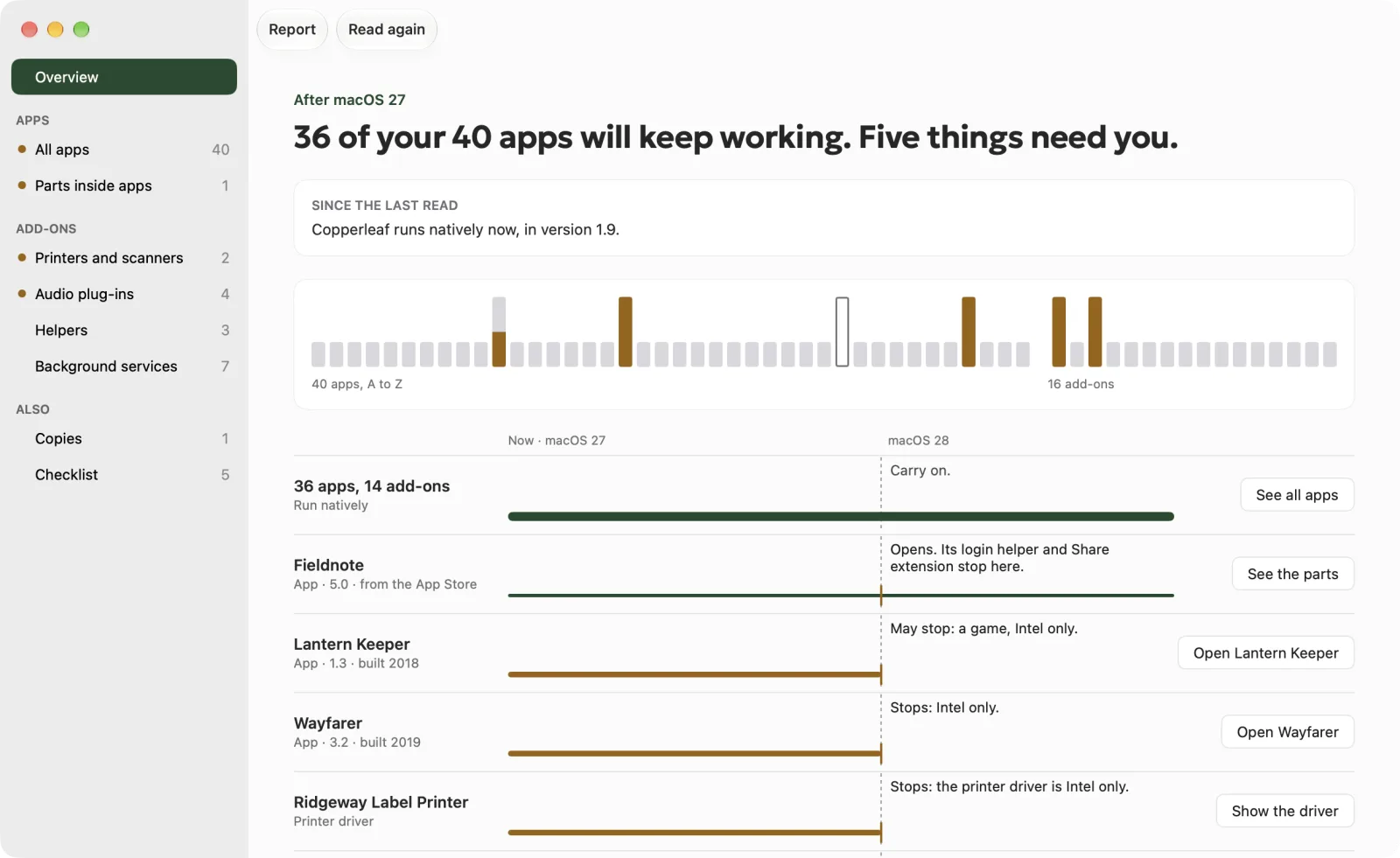
Overview
The answer first, the roll of every app and add-on, and the lanes crossing the macOS 28 line.
- 02
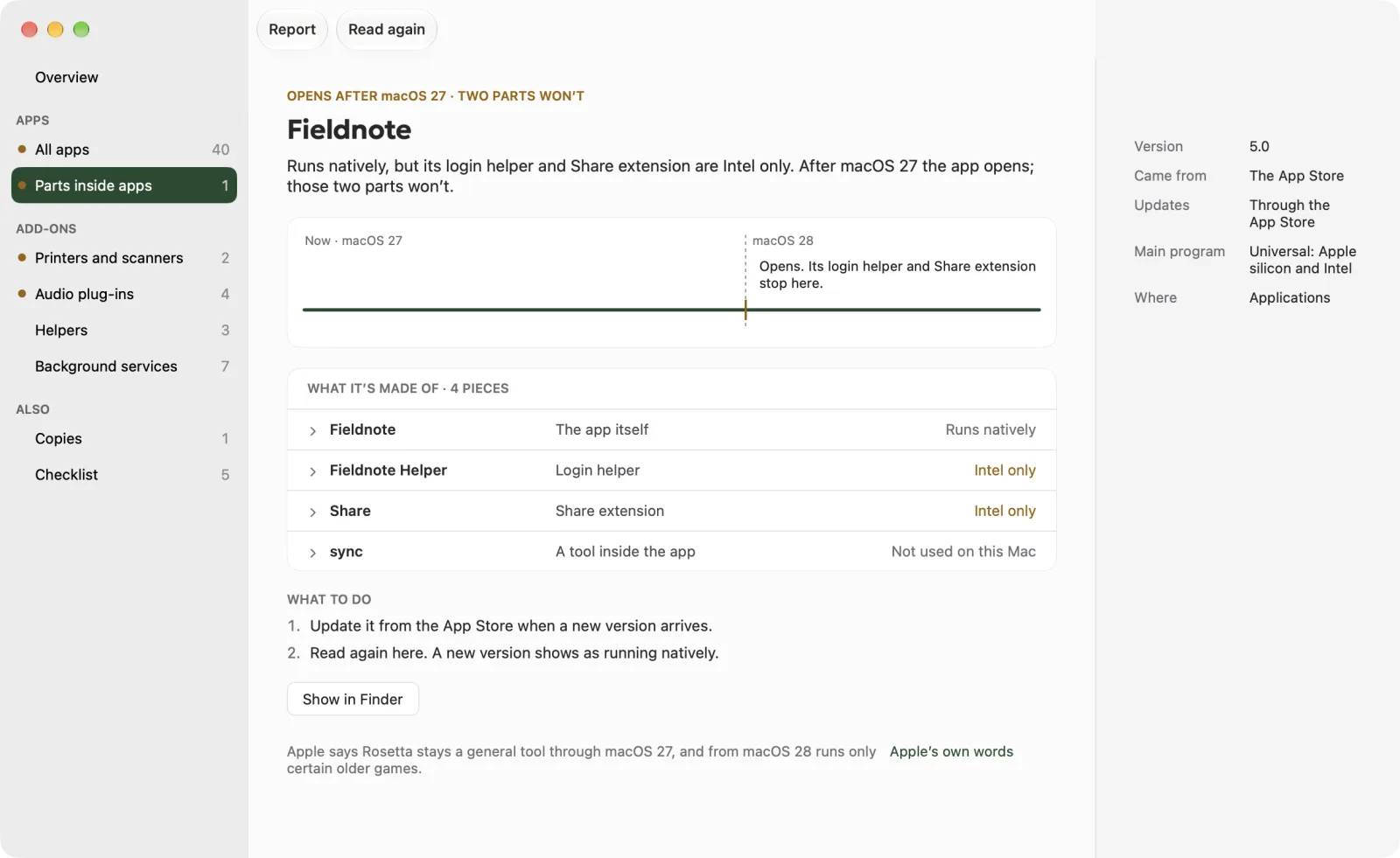
Parts inside apps
An app that opens while its login helper and Share extension won’t, piece by piece.
- 03
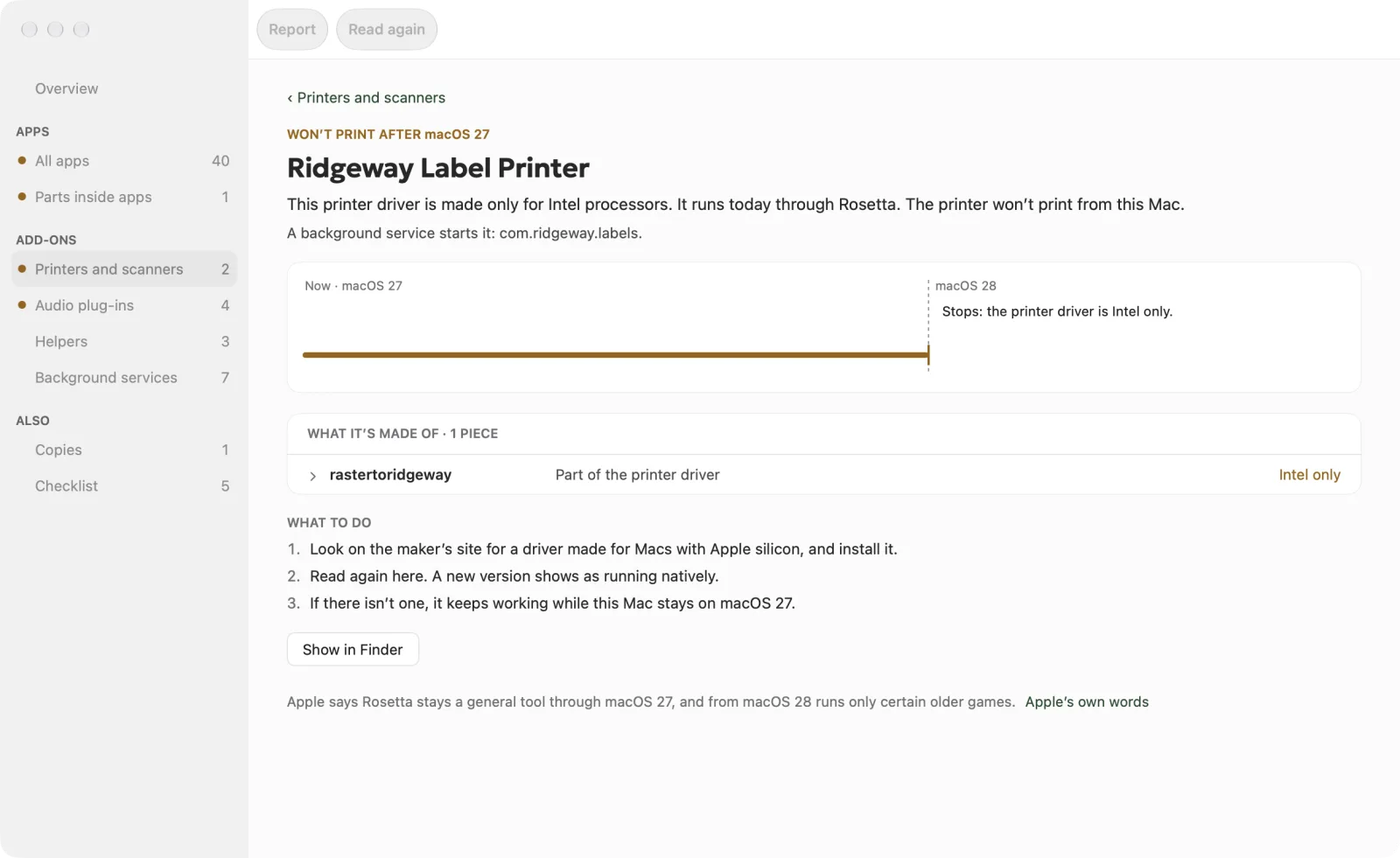
Printers and scanners
A label printer’s driver, made only for Intel processors, and the three things to do.
- 04
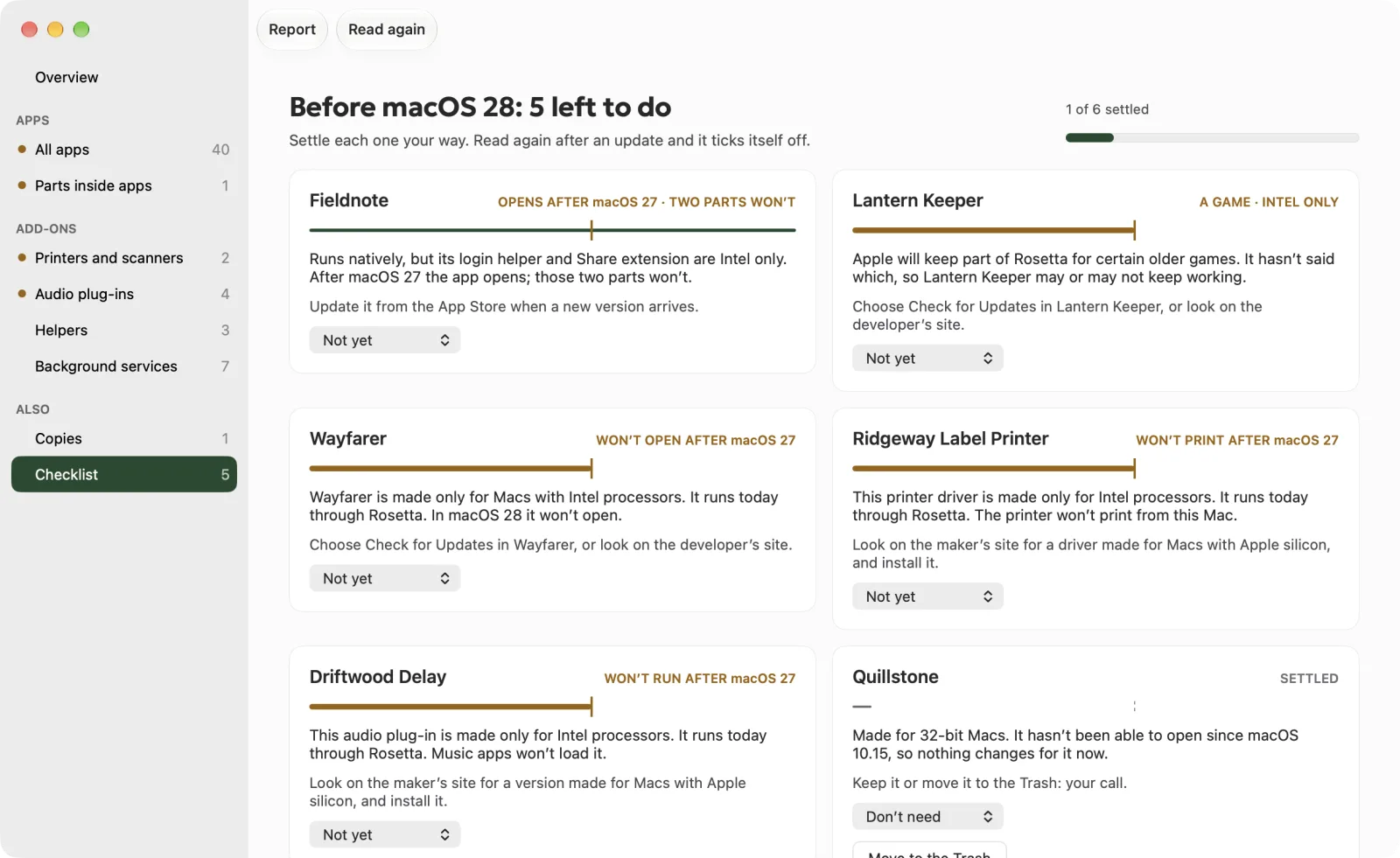
Checklist
Each one to settle your way, kept across reads, ticked off by itself after an update.
- 05
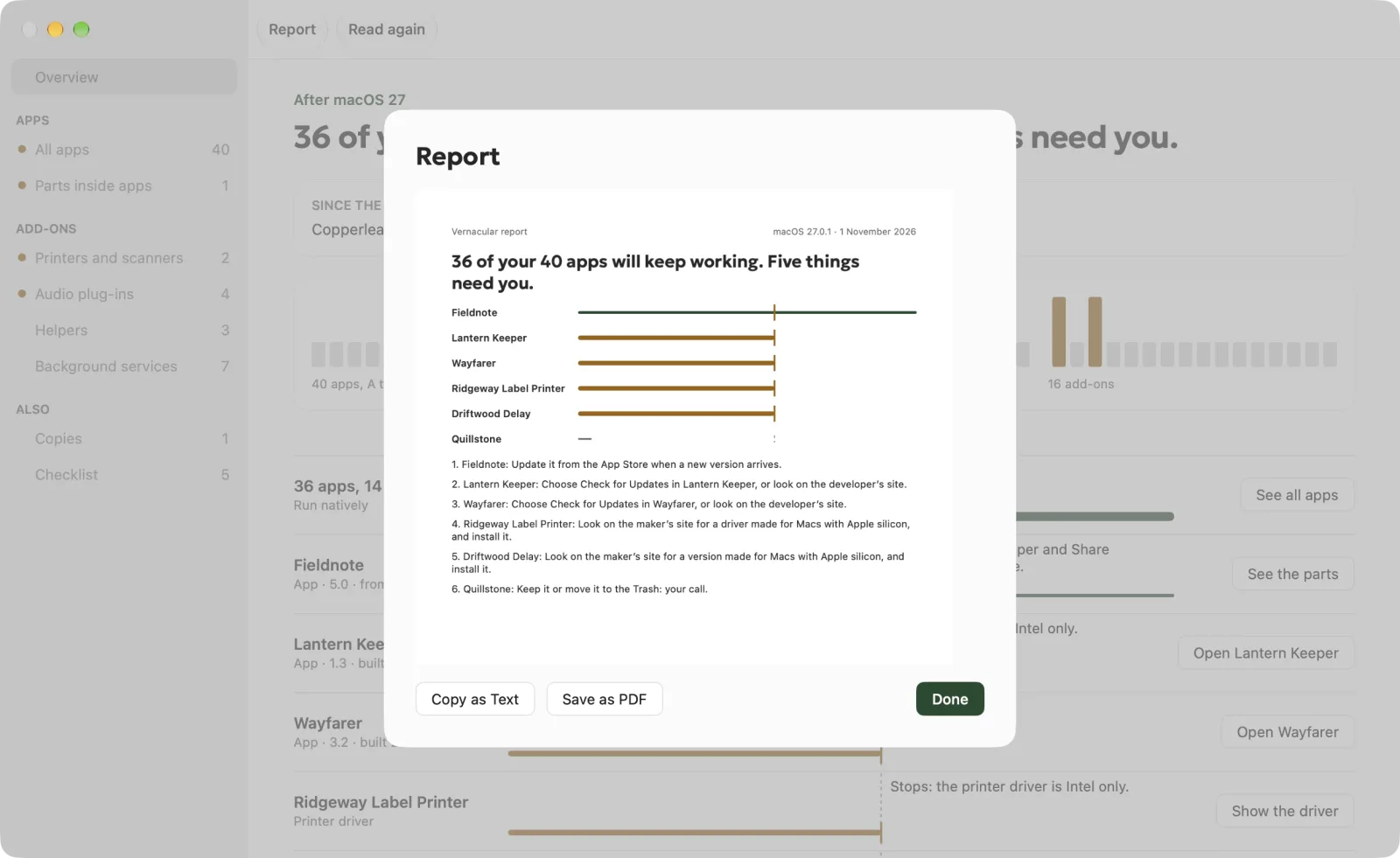
Report
The answer, a lane for each, and the steps, as text or a PDF.
Private by design
- It only reads.
- It never connects.
Vernacular reads the first bytes of the programs on your Mac and what apps declare about themselves. Nothing leaves your Mac: no account, no analytics, no server of ours. It never changes anything behind your back; the one thing it can do is move an app you choose to the Trash, and Put Back works. The privacy policy
Price
€4.99 once
Check free. Pay once to see it through.
Free, always
€0
- Every app and add-on, read
- The answer, in plain English
- Which part stops, and why
- What to do about each
- Apple’s own words
Unlocked, once
€4.99once
- The checklist, kept across reads
- Copies side by side, and Move to the Trash
- What changed since the last read
- A report: text or PDF
- A quiet note when something Intel only arrives
- Shortcuts actions
£4.99 in the UK and $4.99 in the US, with Apple’s matching price elsewhere. No subscription. No account. Bought through the Mac App Store.
Questions
Good to know.
Will Rosetta go away?
In Apple’s words: “Rosetta is available for any Mac with Apple silicon using macOS 27 or earlier. Starting with macOS 28, the next major macOS release, Rosetta functionality will be available only for certain older, unmaintained games that rely on Intel-based frameworks.” (support.apple.com/102527)
Does Vernacular change anything?
No. It reads the headers of the programs on your Mac and the details apps declare about themselves. The only thing it can do is move an app you choose to the Trash, after you confirm, one at a time, and Put Back works.
Does it need the internet?
No. Vernacular never connects to the internet and nothing leaves your Mac. Links to a maker’s site open in your browser.
I have a Mac with an Intel processor
Then your Mac runs Intel apps natively, and Vernacular says so. Apple’s change to Rosetta is about Macs with Apple silicon.
What about games?
Apple will keep part of Rosetta for certain older games. It hasn’t said which, so Vernacular says a game may or may not keep working, and never guesses.
What does it cost?
Checking is free: the answer and every explanation. One €4.99 purchase adds the checklist, copies side by side with Move to the Trash, what changed since the last read, the report, a quiet note in the menu bar when something Intel only arrives, and Shortcuts actions. No subscription.