Vernacular
Press kit
Vernacular: Will your apps keep working? Every app and add-on on your Mac, read in about ten seconds: which ones keep working after macOS 27, which ones stop, and the one thing to do about each.
- Name
- Vernacular
- What it is
- Will your apps keep working?
- For
- Anyone with a Mac with Apple silicon
- Runs on
- macOS 26 and later
- Price
- Check for free. Pay €4.99 once to see it through. No subscription.
- Released
- Coming soon
- Made by
- nicoleslittlebrother, an independent studio
What it does
- The answer first. “37 of your 40 apps will keep working. Three things need you.” Then each one: what it’s made for, what happens to it after macOS 27, and the one thing to do.
- Which part. An app can run natively while its login helper or Share extension is made only for Intel processors. Vernacular reads every part an app declares and says which ones stop, so you know whether the app still opens.
- Not only apps. Printer and scanner drivers, audio plug-ins, helpers and background services stop too, and they’re the ones people forget. Vernacular reads those as well, and says which printer won’t print.
- Native means native. Many apps carry Intel files they never use on a Mac with Apple silicon. Vernacular counts only the parts that run here, so an app that runs natively is called native.
- A checklist to see it through. Settle each one your way: updated, replaced, keeping on macOS 27, or don’t need. Read again after an update and it ticks itself off. A report to keep or send, as text or PDF.
Icon

Download the icon (1024 × 1024 PNG)
Screenshots
Full size, as on the App Store. Click one to download it.
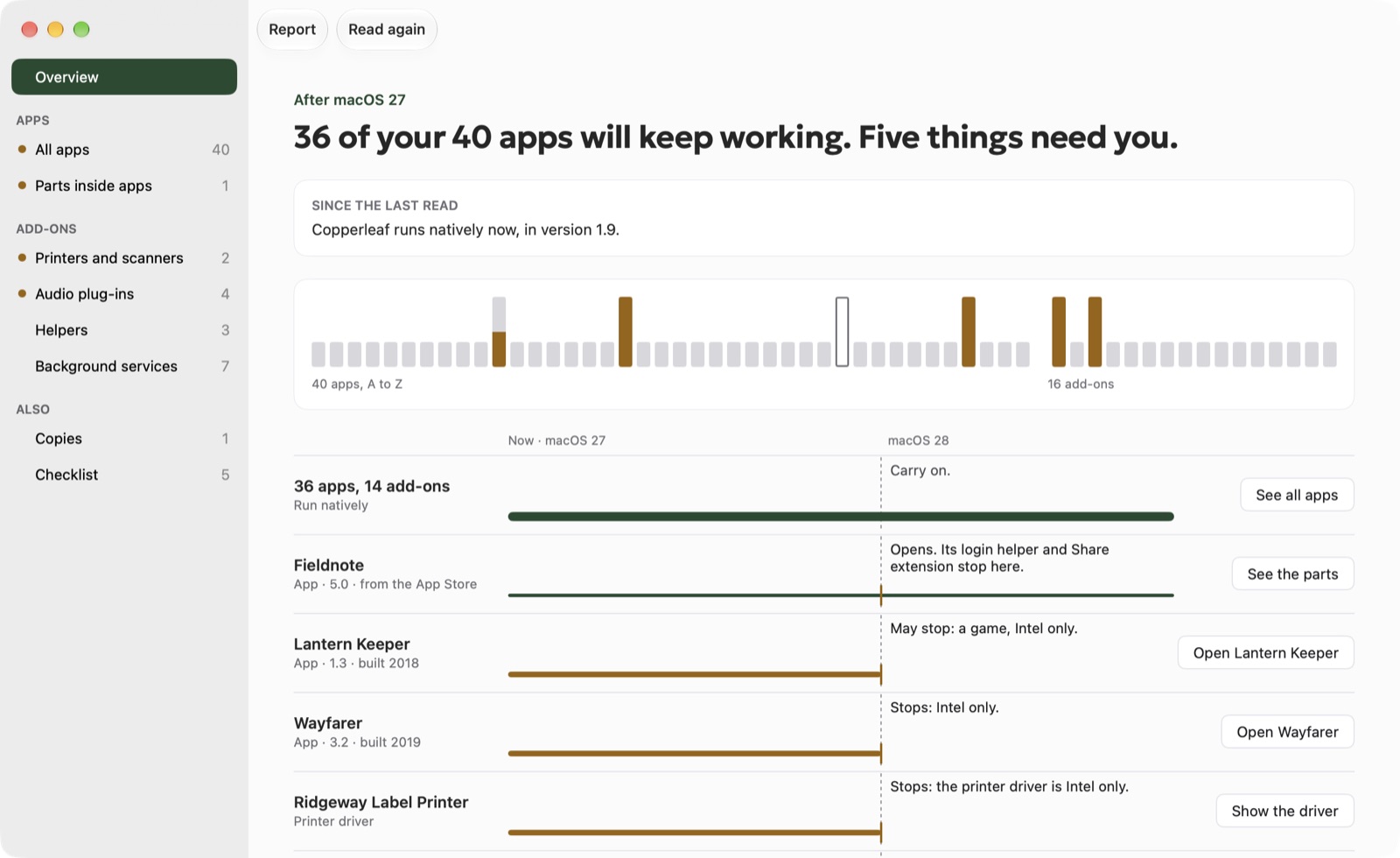 Vernacular’s Overview: “36 of your 40 apps will keep working. Five things need you.”, a roll of every app and add-on with the five that need you raised, and their lanes crossing the macOS 28 line: Fieldnote opens but two parts stop, Lantern Keeper may stop as a game, Wayfarer and the Ridgeway label printer stop
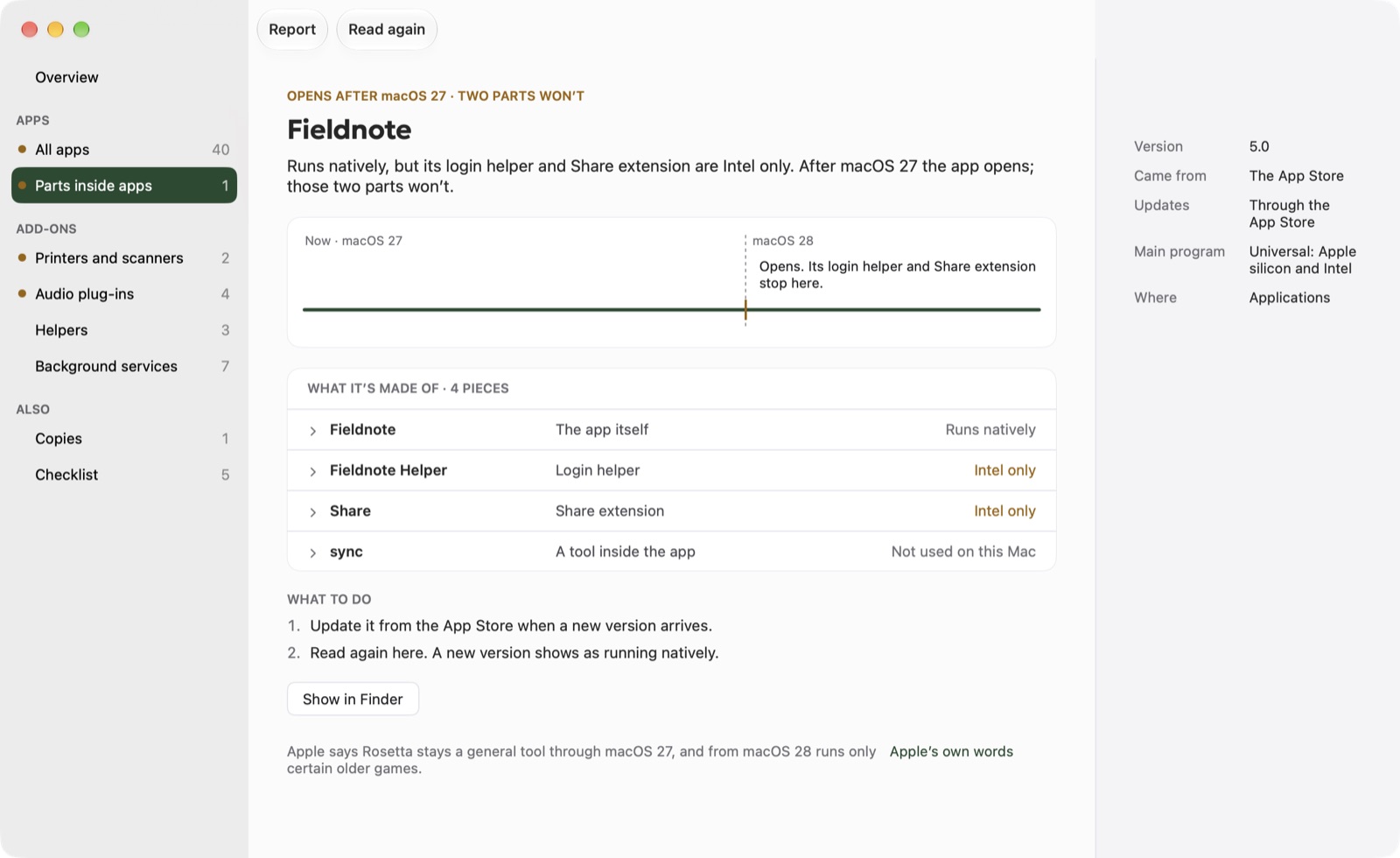 Fieldnote, parts inside apps: it runs natively, but its login helper and Share extension are Intel only; four pieces listed with what each is, and what to do
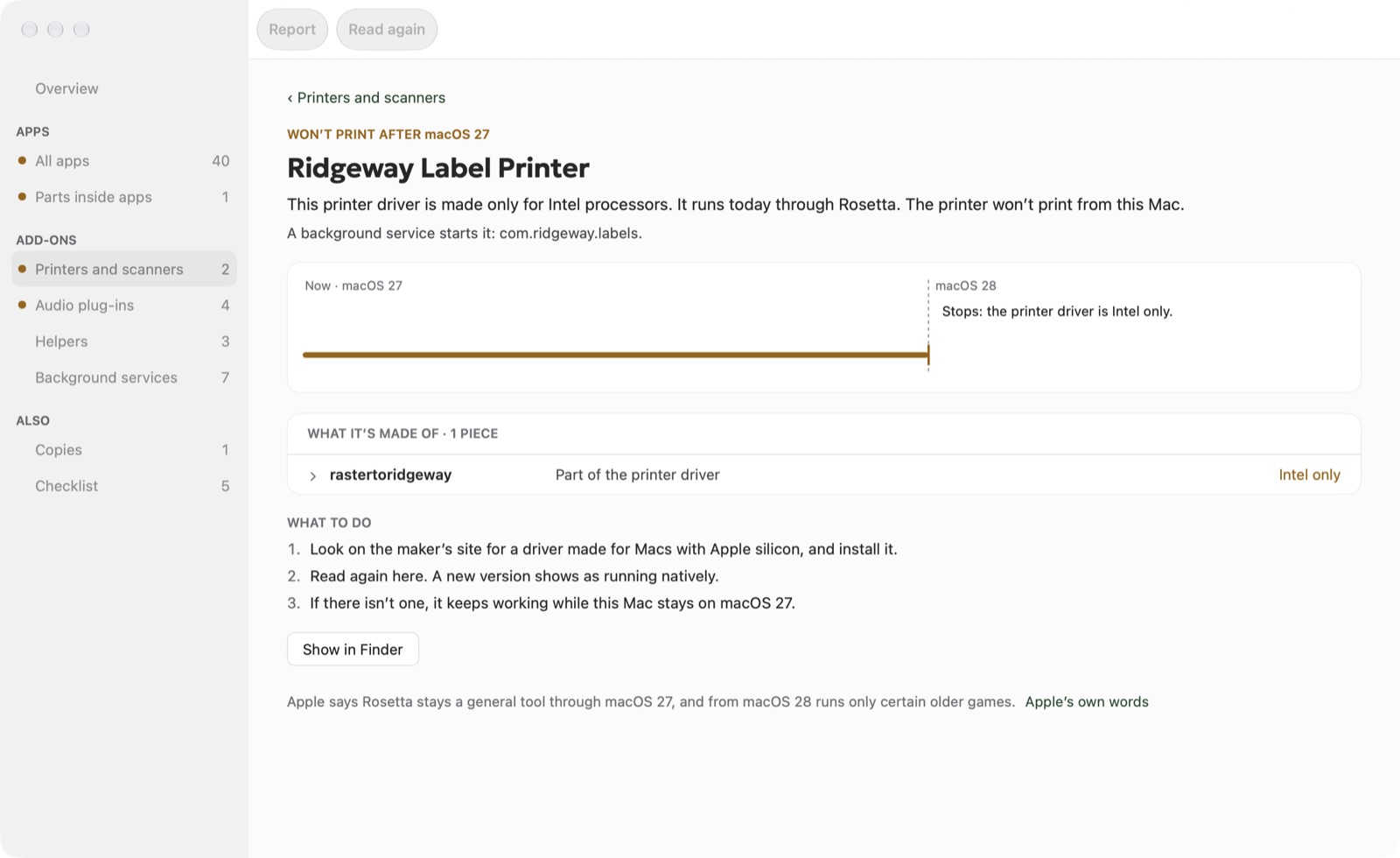 Ridgeway Label Printer: won’t print after macOS 27; its driver is made only for Intel processors, with the three things to do
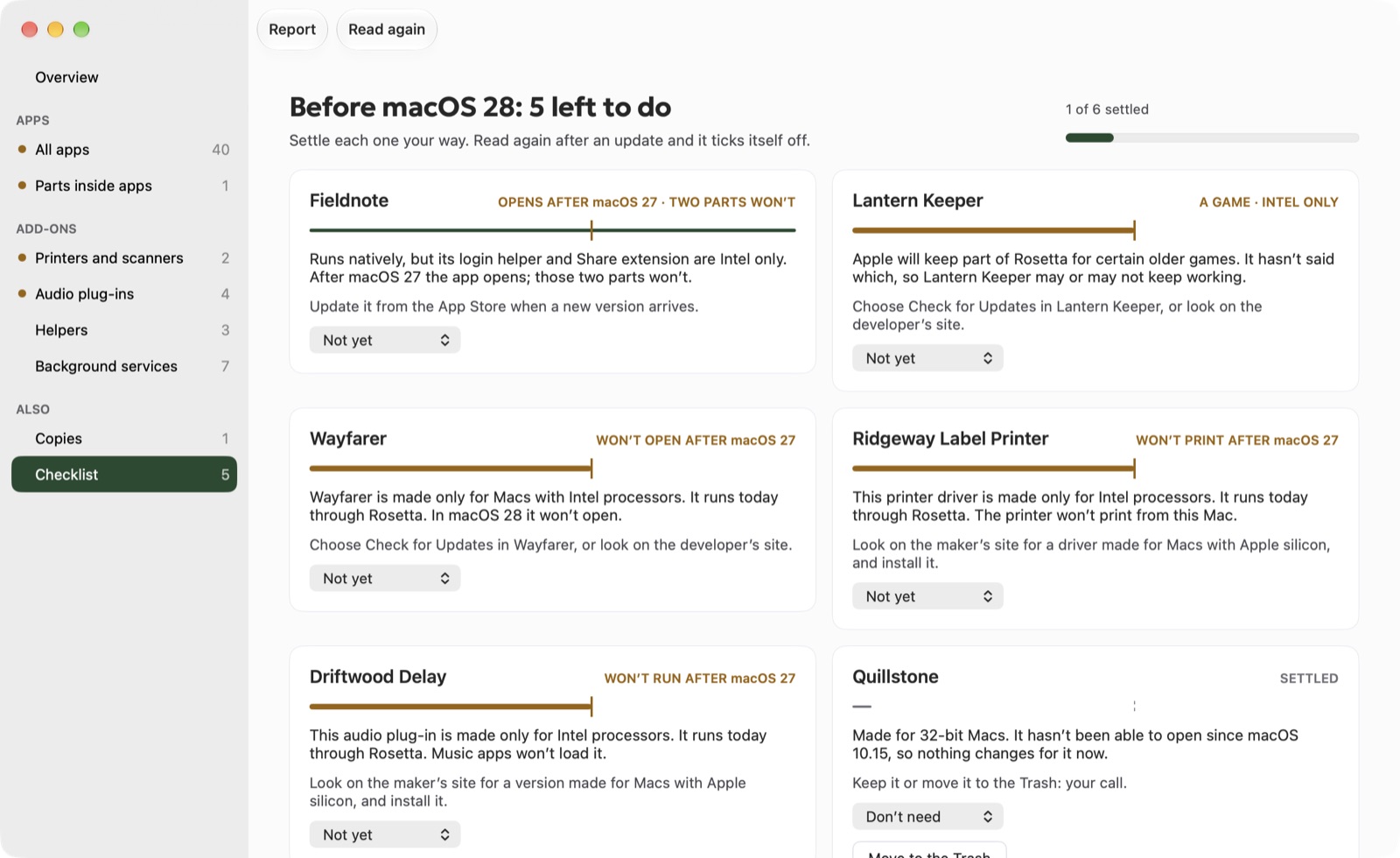 The checklist: before macOS 28, 5 left to do; a card for each app and add-on with its verdict, what to do and how you settled it
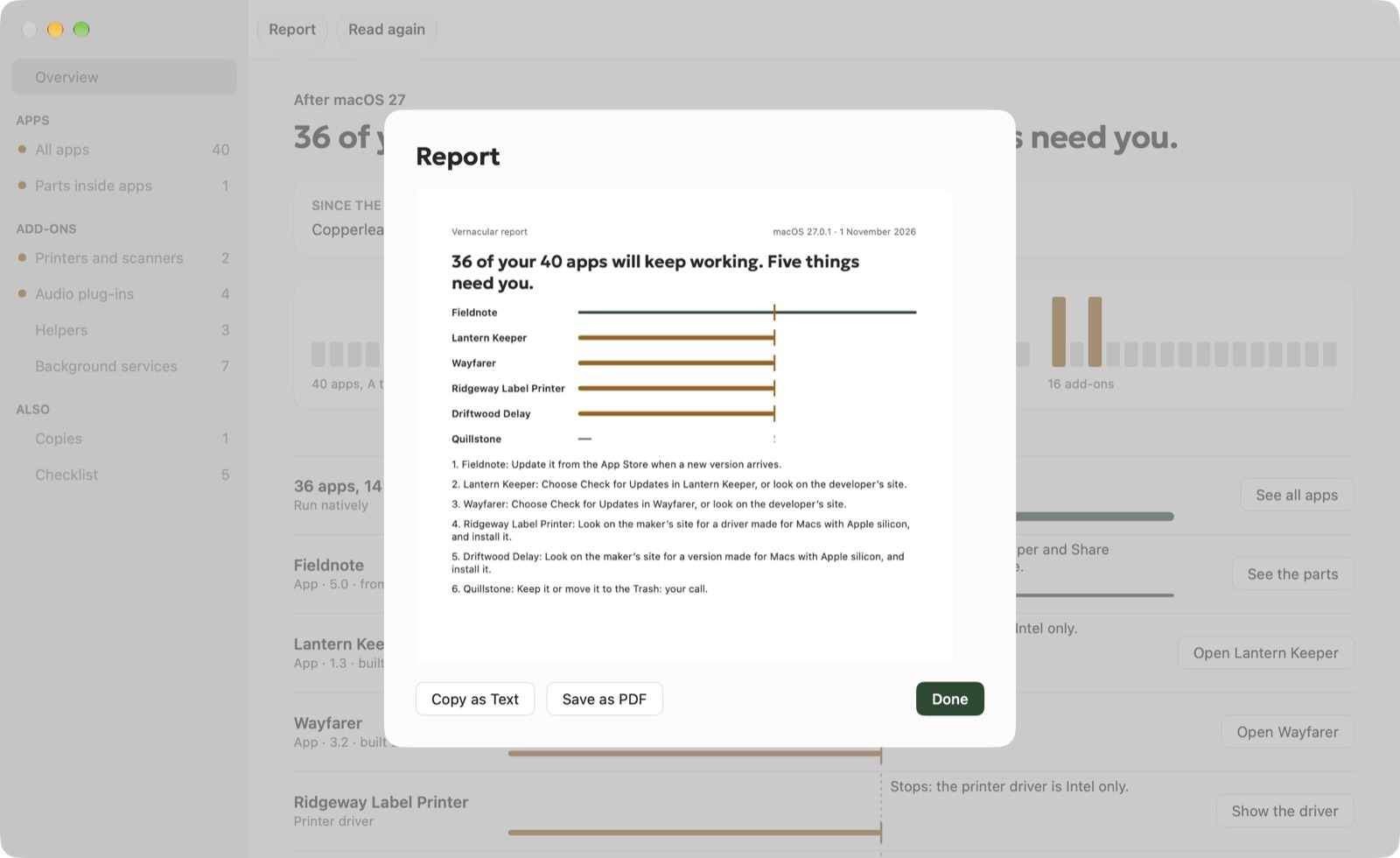 The report: the answer, a lane for each thing that needs you and the steps, ready to copy as text or save as a PDF
Film
1:46. Download the film · vertical version
Questions and codes
Email info@nicoleslittlebrother.tech for anything else, or for a code to try the full version. The icon, screenshots and film may be used in coverage of Vernacular.